POV-Ray Program by Jay Tanner - 2025
Moving the Camera/Eye
-
One of the most fundamental things you need to know is how to get around the moon and
find the target of interest. To do this, one way is to simply relocate the camera
or eye to center on the selenographic coordinates of the target feature.
In this case, moving the camera is equivalent to moving the camera or eye out into space without moving the globe itself.
Initially, the default full moon scene is centered on coordinates (0,0) in the center of the lunar disc.// ------------------------------------------------------- // Camera/eye selenographic coordinates at center of view. #declare CamLat = +00.0; // -S/N+ Range: 0 to +/- 90 #declare CamLon = +000.0; // -W/E+ Range: 0 to +/- 180
To locate any lunar feature, all you have to do is change those default (0,0) coordinates to the coordinates of the target feature you seek. Then the view will be centered on the coordinates of the feature, such as a crater.
To make things easier, three tables have been designed to facilitate the copying/pasting of the coordinates of thousands of named lunar features directly into a LUNEX script.
LUNEX Coordinates Tables:
Lunar Craters Listed by Name
Lunar Craters Listed by Size
Other Lunar Features Listed by Size
Here is an example of centering on Grimaldi, the dark basin seen near the western limb of the lunar disc.
To follow along in LUNEX, make a copy of the template file:
DEFAULT-SCENE-TEMPLATE.pov
Then, rename that copy to:
Grimaldi-demo-1.pov
All subsequent changes in the copy will be made to and replace the default settings to render the new scene.
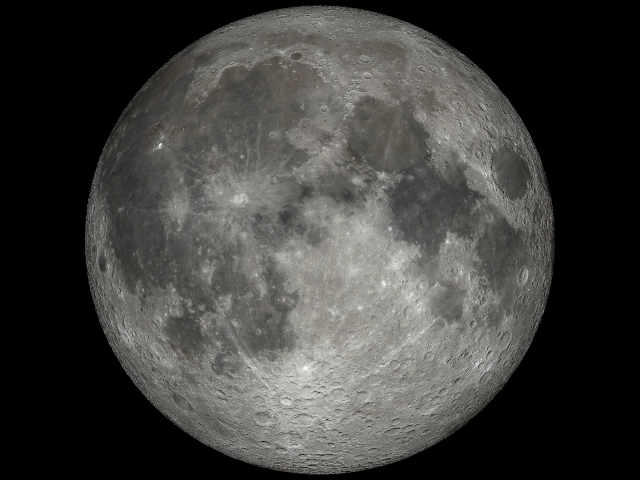
We start with the default geocentric full moon.
All subsequent changes in the copy will be made to and replace the default settings.
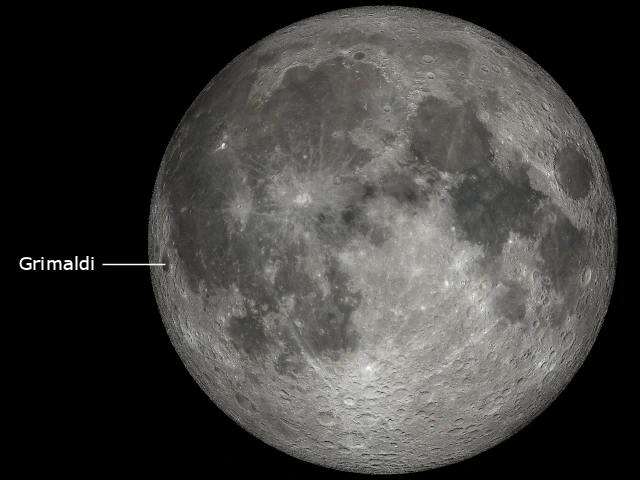
Grimaldi is the dark basin seen near the western hemispheric limb of the lunar near side.
From the 'Lunar Craters Listed by Name' table we find the coordinates of Grimaldi and replace the default (0, 0) coordinates with those values and then render the scene.#declare CamLat = -5.5; // Grimaldi #declare CamLon = -68.3; // 172 km (106 mi) Near Side W
Now we are in space viewing Grimaldi from directly above, but still at normal distance from the eye.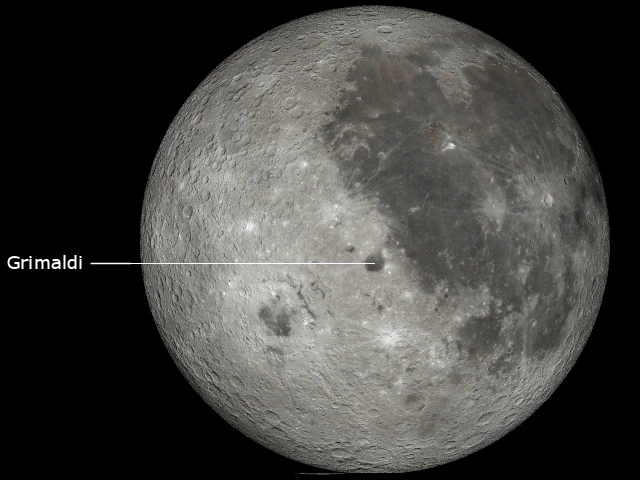
Here is the view centered directly over Grimaldi,
the dark spot (basin) at the center of the view.